Nasda Studios
Dash Speed
Dash Speed ist eine App von Nasda Studios. Veröffentlicht 15 years ago. 2.0 Version.
Teilen
Diese App weiterempfehlen
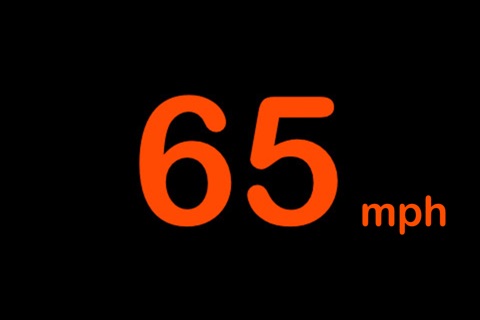
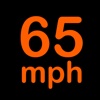
Dash Speed was inspired by the head up displays in the newer BMWs. We wanted to create a head up display that was elegant in design, simple and unobtrusive while being easy to read.
Features:
► Elegant design: Inspired by the head up displays in the newer BMWs.
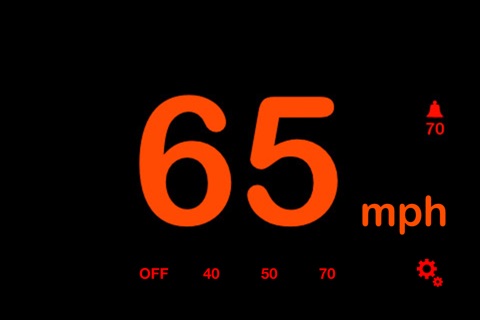
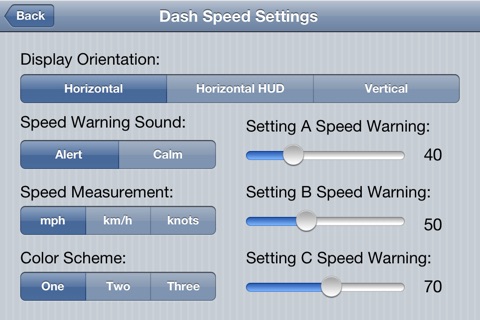
► Various Speeds Measurements: Miles, Kilometres and Knots.
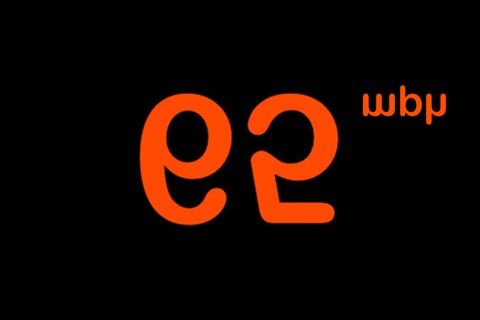
► Display modes: Reflection (Head Up Display) and Regular.
► Speed Warning: Unobtrusive but clear beeps when you exceed the speed warning set.
How to use:
With the display settings set to Reflection place your iPhone on the dash of your car, the display on the iPhone will reflect onto your windshield creating a head up display speedometer similar to those in modern cars. Alternately set the display settings to Normal use Dash Speed to get your current speed on a boat, train, bus, back seat of the car, etc.
How it works:
Dash Speed uses the GPS in your iPhone to calculate your speed based on satellite positioning. The satellites provide accurate speed calculations, however there is a 1-3 second delay between satellite updates. All iPhone speedometer apps are going to incur this 1-3 second delay. You can reduce this delay by placing your iPhone on the dash of your car facing up (in reflection mode) where your iPhone can better see the satellites in the sky.
Disclaimer:
While the speed shown on the display is accurate, its accurate with a 1-3 second delay. Placing your iPhone on the dash will reduce the delay of the speed updates.
The GPS in the iPhone will get faster updates after several minutes of use when your iPhone finds more satellites to use.
Dash Speed sets the GPS in your iPhone to work its hardest to get the speed updates as often as possible, this can drain your battery in a matter of hours. For longer trips you will need a charger adapter.
You can only use reflection mode at night. Sunlight will make it impossible to see the reflection.
Dash Speed does not work with iPod Touch as the iPod touch does not have a GPS in it.
Features:
► Elegant design: Inspired by the head up displays in the newer BMWs.
► Various Speeds Measurements: Miles, Kilometres and Knots.
► Display modes: Reflection (Head Up Display) and Regular.
► Speed Warning: Unobtrusive but clear beeps when you exceed the speed warning set.
How to use:
With the display settings set to Reflection place your iPhone on the dash of your car, the display on the iPhone will reflect onto your windshield creating a head up display speedometer similar to those in modern cars. Alternately set the display settings to Normal use Dash Speed to get your current speed on a boat, train, bus, back seat of the car, etc.
How it works:
Dash Speed uses the GPS in your iPhone to calculate your speed based on satellite positioning. The satellites provide accurate speed calculations, however there is a 1-3 second delay between satellite updates. All iPhone speedometer apps are going to incur this 1-3 second delay. You can reduce this delay by placing your iPhone on the dash of your car facing up (in reflection mode) where your iPhone can better see the satellites in the sky.
Disclaimer:
While the speed shown on the display is accurate, its accurate with a 1-3 second delay. Placing your iPhone on the dash will reduce the delay of the speed updates.
The GPS in the iPhone will get faster updates after several minutes of use when your iPhone finds more satellites to use.
Dash Speed sets the GPS in your iPhone to work its hardest to get the speed updates as often as possible, this can drain your battery in a matter of hours. For longer trips you will need a charger adapter.
You can only use reflection mode at night. Sunlight will make it impossible to see the reflection.
Dash Speed does not work with iPod Touch as the iPod touch does not have a GPS in it.
Smart erkannt
App-Funktionen
Automatisch aus Beschreibung, Titel und Kategorie erkannt.
🗺️
Interaktive Karten
🎟️
Ticket-Buchung
🔍
Volltextsuche
🌤️
Wetter & Vorhersage
🚌
ÖPNV & Transport
🏠
Smart Home & HomeKit