
Makayama.com
iPresenter for Microsoft Powerpoint
iPresenter for Microsoft Powerpoint ist eine App von Makayama.com. Veröffentlicht 17 years ago. 1.0 Version.
Teilen
Diese App weiterempfehlen
Remote control your Powerpoint presentations with a live, realtime view of your slides on your iPhone. Show your slides on your PC and use your iPhone or iPod Touch as a clicker. No need to buy or carry expensive special hardware, just this low-priced software.
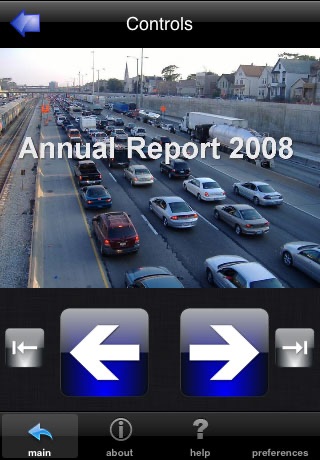
iPresenter gives you full control, moving slides forward and backward and jumping to the first or last slide. Theres a live view of the slide on the screen of the phone. No more rubbernecking when giving a presentation.
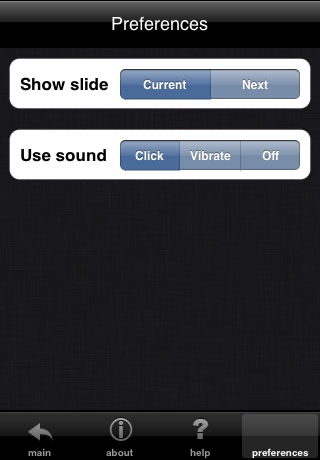
And best of all: you can also watch a preview of the next slide, so you no longer need to memorise slides: a first on the iPhone. Theres optional audio or vibration feedback while controlling slides
You can talk to your audience without having to look behind you on the PC or projection screen. You may choose audio or vibration feedback, when pressing next slide or no feedback at all.
You need:
* The iPresenter PC software (free download from iphonepowerpoint.com)
* The iPresenter iPhone software (download from App Store)
* A PC with Windows XP, 2000, NT or Vista
* An iPhone or iPod Touch
* Microsoft Office Powerpoint (not Powerpoint Viewer, but the Microsoft Office version)
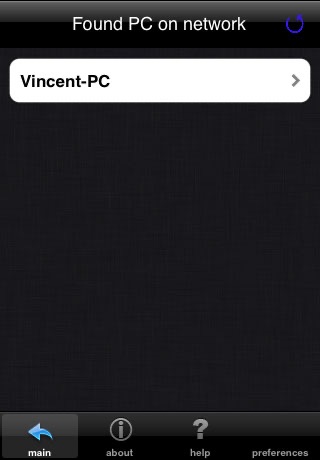
* Both the PC and iPhone need to be connected to the same network via WiFi or cable.
iPresenter gives you full control, moving slides forward and backward and jumping to the first or last slide. Theres a live view of the slide on the screen of the phone. No more rubbernecking when giving a presentation.
And best of all: you can also watch a preview of the next slide, so you no longer need to memorise slides: a first on the iPhone. Theres optional audio or vibration feedback while controlling slides
You can talk to your audience without having to look behind you on the PC or projection screen. You may choose audio or vibration feedback, when pressing next slide or no feedback at all.
You need:
* The iPresenter PC software (free download from iphonepowerpoint.com)
* The iPresenter iPhone software (download from App Store)
* A PC with Windows XP, 2000, NT or Vista
* An iPhone or iPod Touch
* Microsoft Office Powerpoint (not Powerpoint Viewer, but the Microsoft Office version)
* Both the PC and iPhone need to be connected to the same network via WiFi or cable.
Smart erkannt
App-Funktionen
Automatisch aus Beschreibung, Titel und Kategorie erkannt.
🎵
Hintergrundmusik & Audio
🛒
E-Commerce & Shop
💭
Kommentare & Bewertungen
📳
Haptisches Feedback
🌤️
Wetter & Vorhersage
🖼️
Präsentationen & Slides