Quiana Liu
PDF to DOC
PDF to DOC ist eine App von Quiana Liu. Veröffentlicht 12 years ago. 1.4.0 Version.
Teilen
Diese App weiterempfehlen
PDF to DOC: Batch converts PDF files into DOC, RTF, RTFD, TXT files
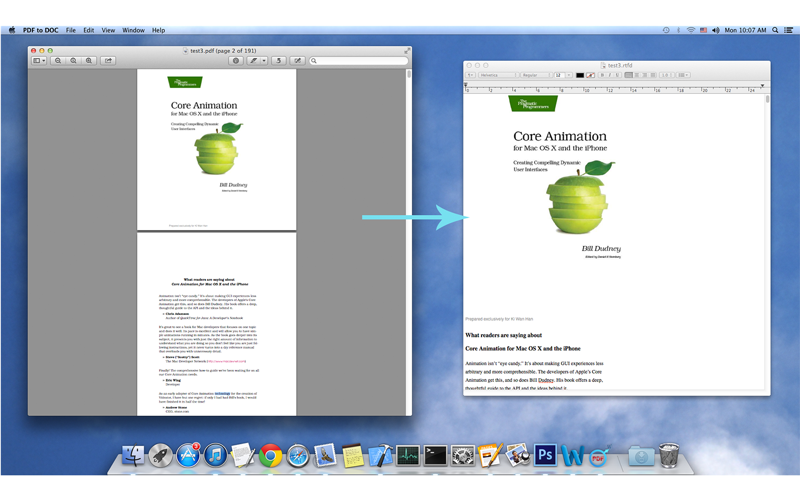
PDF to DOC is a simple, efficient and fast way to batch converts Portable Document Format(*.pdf) files into Microsoft Word Document(*doc), Rich Text Format Directory(*.rtfd), Rich Text Format(*.rtf) or Plain Text Format(*.txt) files.
FEATURES:
◆Batch conversion at lightning fast speed.
◆Easy to use, simply Drag & Drop into conversion list, then just click the button to convert.
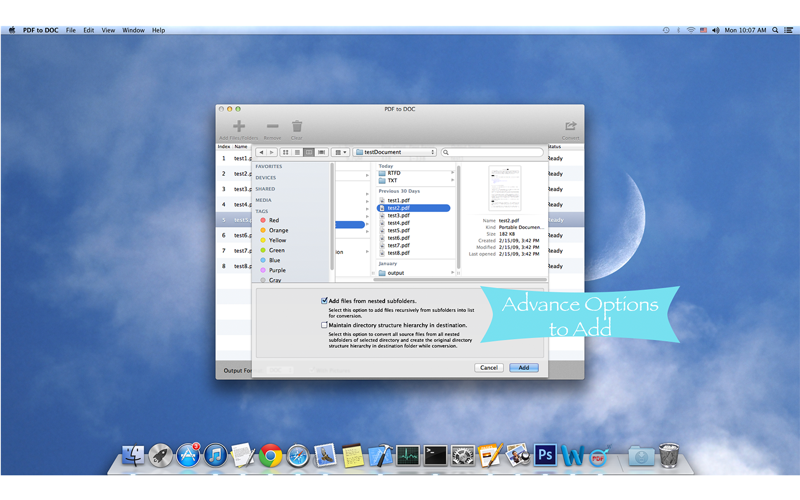
◆An advance option to add files recursively form subfolders into conversion list.
◆An advance option to maintain source directory hierarchy at destination with converted files in respective folders.
◆An advance option to order items in conversion list by source file name, file size, output name, status or manual.
◆An advance option to rename output files.
◆An advance option to set page range for converting.(The format of page range has certain specifications, for example, there is a 100-page PDF file, valid page range should like “88”, “1,2,6-78”, “34-12,14,22-66,1” or “6,6,10-22,30-78,20-10,98,100,90”.)
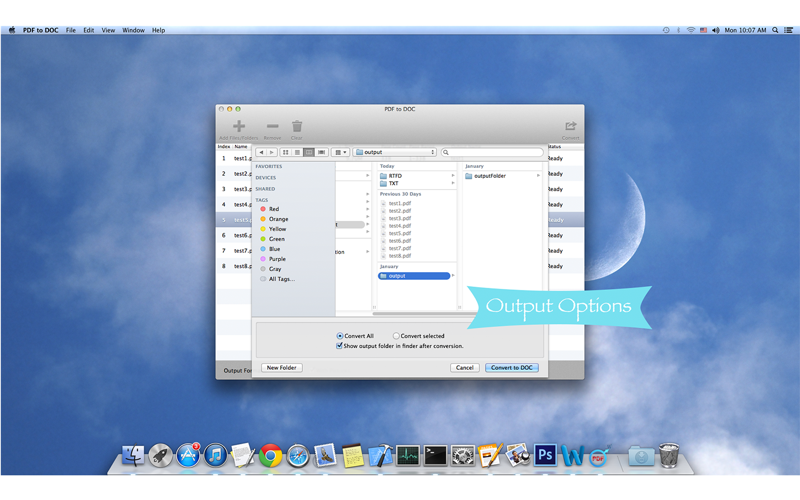
◆An advance option to convert all or selected files in the conversion list.
◆An advance option to show output folder in finder after conversion or not.
SUPPORT:
You can refer User Manual from menu "Help -> PDF to DOC Help” for any assistance or contact support.
Please feel free to contact us if you have any questions about using our products at any time.
Email: [email protected]
We will appreciate it if you can give your suggestions and comments on our product.
PDF to DOC is a simple, efficient and fast way to batch converts Portable Document Format(*.pdf) files into Microsoft Word Document(*doc), Rich Text Format Directory(*.rtfd), Rich Text Format(*.rtf) or Plain Text Format(*.txt) files.
FEATURES:
◆Batch conversion at lightning fast speed.
◆Easy to use, simply Drag & Drop into conversion list, then just click the button to convert.
◆An advance option to add files recursively form subfolders into conversion list.
◆An advance option to maintain source directory hierarchy at destination with converted files in respective folders.
◆An advance option to order items in conversion list by source file name, file size, output name, status or manual.
◆An advance option to rename output files.
◆An advance option to set page range for converting.(The format of page range has certain specifications, for example, there is a 100-page PDF file, valid page range should like “88”, “1,2,6-78”, “34-12,14,22-66,1” or “6,6,10-22,30-78,20-10,98,100,90”.)
◆An advance option to convert all or selected files in the conversion list.
◆An advance option to show output folder in finder after conversion or not.
SUPPORT:
You can refer User Manual from menu "Help -> PDF to DOC Help” for any assistance or contact support.
Please feel free to contact us if you have any questions about using our products at any time.
Email: [email protected]
We will appreciate it if you can give your suggestions and comments on our product.
Smart erkannt
App-Funktionen
Automatisch aus Beschreibung, Titel und Kategorie erkannt.
🛒
E-Commerce & Shop
📝
Notizen & Textbearbeitung
📄
PDF-Werkzeuge
🗂️
Dateimanager
🔍
Volltextsuche
👍
Likes & Reaktionen