
TfL
TfL Oyster and contactless
TfL Oyster and contactless ist eine App von TfL. Veröffentlicht 8 years ago. 1.4.7 Version.
Teilen
Diese App weiterempfehlen
Manage your adult Oyster and contactless cards on the move with the app.
• Top up pay as you go credit
• Buy adult rate 7 Day, Monthly and Annual Travelcards, and Bus & Tram Passes
• View your Oyster card and contactless journey history
• Check contactless payments
• Check your pay as you go balance and see season tickets
• Check if you have any incomplete journeys
• Allow notifications when your pay as you go balance falls below a certain amount, or your Travelcard is about to expire
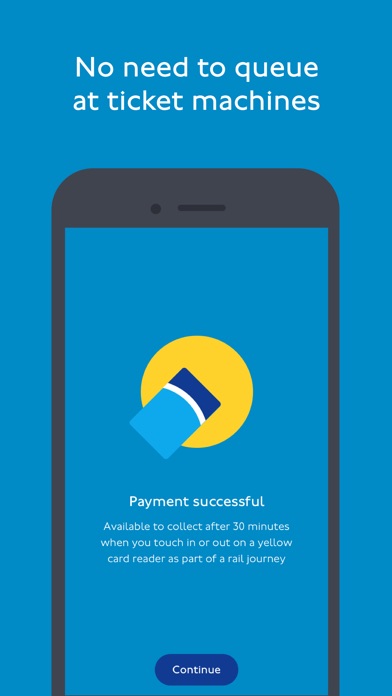
When you top up your credit or buy a Travelcard or Bus & Tram Pass, it will be available to collect after 30 minutes when you touch your Oyster card on a yellow card reader as part of a journey on any London bus, or at any Tube, DLR, London Overground, TfL Rail or National Rail station within the pay as you go area, tram stop or River Bus pier.
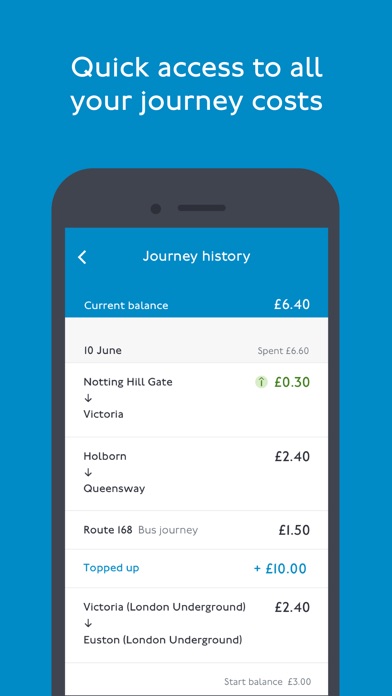
Keeping on top of your spend is easy; see the date, time and cost of your journeys from the last 8 weeks.
The TfL Oyster and contactless app will request access to your camera. This is so that you can scan your payment card. We will never store the scanned pictures. Alternatively you can enter the card details manually.
You can’t currently add Oyster photocards to this app.
You can’t currently buy discounted tickets through the app.
For security reasons the TfL Oyster and contactless app is not supported on jailbroken devices.
• Top up pay as you go credit
• Buy adult rate 7 Day, Monthly and Annual Travelcards, and Bus & Tram Passes
• View your Oyster card and contactless journey history
• Check contactless payments
• Check your pay as you go balance and see season tickets
• Check if you have any incomplete journeys
• Allow notifications when your pay as you go balance falls below a certain amount, or your Travelcard is about to expire
When you top up your credit or buy a Travelcard or Bus & Tram Pass, it will be available to collect after 30 minutes when you touch your Oyster card on a yellow card reader as part of a journey on any London bus, or at any Tube, DLR, London Overground, TfL Rail or National Rail station within the pay as you go area, tram stop or River Bus pier.
Keeping on top of your spend is easy; see the date, time and cost of your journeys from the last 8 weeks.
The TfL Oyster and contactless app will request access to your camera. This is so that you can scan your payment card. We will never store the scanned pictures. Alternatively you can enter the card details manually.
You can’t currently add Oyster photocards to this app.
You can’t currently buy discounted tickets through the app.
For security reasons the TfL Oyster and contactless app is not supported on jailbroken devices.
Smart erkannt
App-Funktionen
Automatisch aus Beschreibung, Titel und Kategorie erkannt.
🔍
Objekterkennung
📸
Echte Fotos & Bilder
💳
In-App-Käufe
🛒
E-Commerce & Shop
🎟️
Ticket-Buchung
🚌
ÖPNV & Transport