
Hang Nguyen
TurboSign Pro - Quickly Sign and Fill PDF Documents
TurboSign Pro - Quickly Sign and Fill PDF Documents ist eine App von Hang Nguyen. Veröffentlicht 12 years ago. 1.3 Version.
Teilen
Diese App weiterempfehlen
Sign documents and get signatures quickly and easily from your iPad and iPhone with TurboSign.
TurboSign makes it simple to sign documents in electronic format without having to print, sign and scan. Use TurboSign’s built-in signature pad to sign your name and drop it into your document directly. One signed, share your documents via email or print or copy it to cloud storage services such as: Dropbox
TurboSign helps you sign a document in 3 simple steps:
1. Import
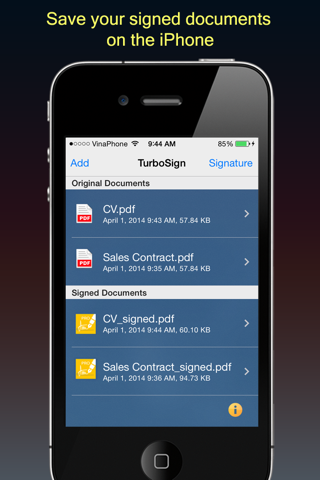
Import a document from Email, Dropbox, Box, Evernote, and hundreds of other apps with “Open In” functionality.
2. Sign
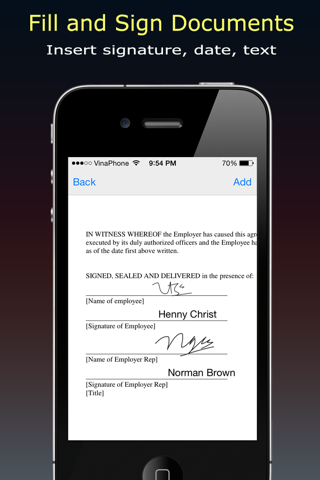
Sign with your finger or stylus and fill the document with date, text.
3. Send
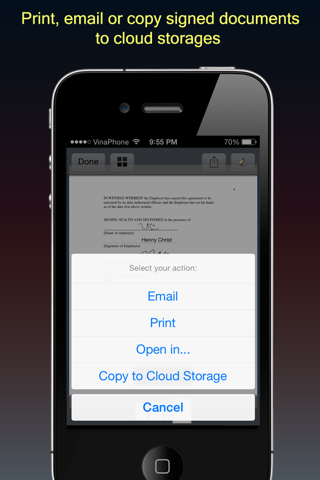
Email the final document to anyone or print or copy instantly to Dropbox
TurboSign makes it simple to sign documents in electronic format without having to print, sign and scan. Use TurboSign’s built-in signature pad to sign your name and drop it into your document directly. One signed, share your documents via email or print or copy it to cloud storage services such as: Dropbox
TurboSign helps you sign a document in 3 simple steps:
1. Import
Import a document from Email, Dropbox, Box, Evernote, and hundreds of other apps with “Open In” functionality.
2. Sign
Sign with your finger or stylus and fill the document with date, text.
3. Send
Email the final document to anyone or print or copy instantly to Dropbox
Smart erkannt
App-Funktionen
Automatisch aus Beschreibung, Titel und Kategorie erkannt.
🖥️
Mac / iPad App
📝
Notizen & Textbearbeitung
📄
PDF-Werkzeuge
✍️
Digitale Unterschrift
☁️
Cloud-Synchronisation
↕️
Import & Export