
Kairoos Solutions SL
Verse Editor
Verse Editor ist eine App von Kairoos Solutions SL. Veröffentlicht 10 years ago. 3.9 Version.
Teilen
Diese App weiterempfehlen
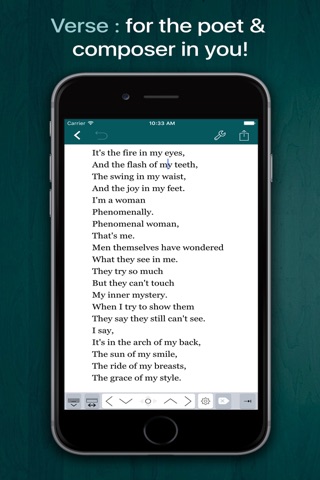
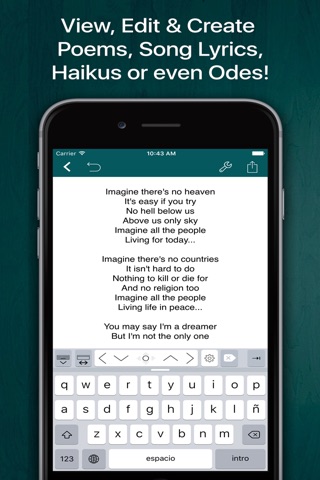
Write easily poems, song lyrics, haikus or even odes and more with Verse for iPad and iPhone.
With Verse you can:
· Easily set left and right page margins then just write your poem or lyrics
· Typewriter (Focus) mode. Distraction-Free mode that keeps only the paragraph you’re typing at the center of the screen, letting you focus on what you’re writing
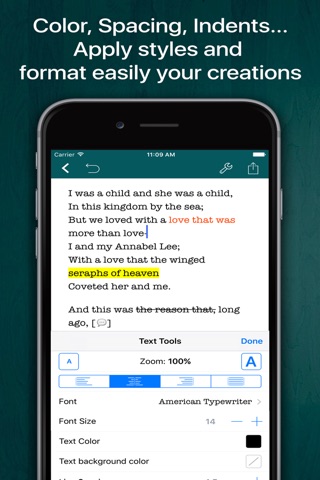
· Use advanced RTF formatting: Bold, italic, underline, highlight, strikethrough, subscript/superscript, alignment, line and paragraph spacing, first-line indent, page breaks, footnotes, comments, text and paper color, page margins, etc.
· Full-text search your library of documents to find content
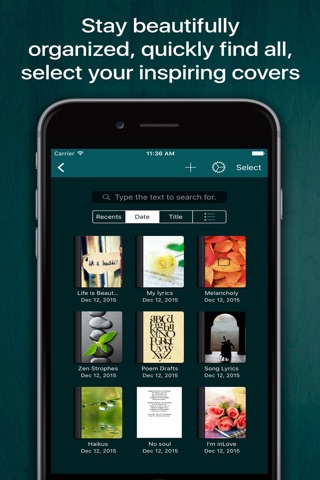
· Organize your work in unlimited notebooks, folders and subfolders. Customize the covers of your notebooks
· Update and automatically sync your documents across your devices using iCloud
· Supports split-screen. Run Verse side by side with other apps like Safari, Notes, Word Studio or Microsoft Word
· Create snapshots of your documents
· Zip folders/notebooks and email them as an attachment
· Never worry about losing your work, everything is automatically saved as you type
· Create your own templates for new documents
· Exclusive extra keyboard row with direct access to styling and punctuation functions
· Quick keys for tab, forward delete, cursor up/down/left/right, etc.
· Tap and hold to easily set your own custom keyboard buttons to your commonly-used keys, special symbols, text snippets or hard to reach characters
· Full statistics like number of characters, words, sentences, lines, Avg. Word Lenght, Words per sentence and reading time
· Supports Wireless keyboards and keyboard shortcuts
· Export, share and print your documents to multiple formats like RTF, PDF, ePub, HTML, RTFD, TXT etc. Send your documents to other apps or via email as an attachment
· Protect individually your folders/notebooks with a password, very useful for iPads with more than one user in office, classroom or home
· Insert special symbols and characters like arrows, parentheses, punctuation, maths, bullets/stars, pictografs, web links, GPS location, etc.
CONTACT US
· Let us know via email (contact @ studio5apps.com) or Twitter @studio5apps if you run into any problems or have feature suggestions
NOTE: We can not reply you in App Store reviews. If you have any comments or issues, please contact us directly via email contact @ studio5apps.com
With Verse you can:
· Easily set left and right page margins then just write your poem or lyrics
· Typewriter (Focus) mode. Distraction-Free mode that keeps only the paragraph you’re typing at the center of the screen, letting you focus on what you’re writing
· Use advanced RTF formatting: Bold, italic, underline, highlight, strikethrough, subscript/superscript, alignment, line and paragraph spacing, first-line indent, page breaks, footnotes, comments, text and paper color, page margins, etc.
· Full-text search your library of documents to find content
· Organize your work in unlimited notebooks, folders and subfolders. Customize the covers of your notebooks
· Update and automatically sync your documents across your devices using iCloud
· Supports split-screen. Run Verse side by side with other apps like Safari, Notes, Word Studio or Microsoft Word
· Create snapshots of your documents
· Zip folders/notebooks and email them as an attachment
· Never worry about losing your work, everything is automatically saved as you type
· Create your own templates for new documents
· Exclusive extra keyboard row with direct access to styling and punctuation functions
· Quick keys for tab, forward delete, cursor up/down/left/right, etc.
· Tap and hold to easily set your own custom keyboard buttons to your commonly-used keys, special symbols, text snippets or hard to reach characters
· Full statistics like number of characters, words, sentences, lines, Avg. Word Lenght, Words per sentence and reading time
· Supports Wireless keyboards and keyboard shortcuts
· Export, share and print your documents to multiple formats like RTF, PDF, ePub, HTML, RTFD, TXT etc. Send your documents to other apps or via email as an attachment
· Protect individually your folders/notebooks with a password, very useful for iPads with more than one user in office, classroom or home
· Insert special symbols and characters like arrows, parentheses, punctuation, maths, bullets/stars, pictografs, web links, GPS location, etc.
CONTACT US
· Let us know via email (contact @ studio5apps.com) or Twitter @studio5apps if you run into any problems or have feature suggestions
NOTE: We can not reply you in App Store reviews. If you have any comments or issues, please contact us directly via email contact @ studio5apps.com
Smart erkannt
App-Funktionen
Automatisch aus Beschreibung, Titel und Kategorie erkannt.
🗺️
Interaktive Karten
🖥️
Mac / iPad App
☁️
iCloud-Synchronisation
📝
Notizen & Textbearbeitung
☁️
Cloud-Synchronisation
📚
E-Books & Lesen