
Chaoji Li
VI Touch
VI Touch ist eine App von Chaoji Li. Veröffentlicht 15 years ago. 1.6 Version.
Teilen
Diese App weiterempfehlen
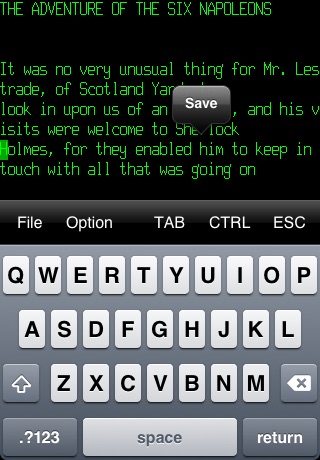
VI is a screen-oriented text editor used by many Unix users. It includes many commands that make it a powerful and efficient text editor. It enables fast, simple, and effective editing for skilled users.
It may requires a bit of learning for new users at the beginning. But once you get familiar with it, you will find it rewarding. A TUTORIAL is included in the app to get you started.
The more you use it, the more powerful it becomes, and the more you are gonna love it!
You can get your files into and out of the app through iTunes file sharing. Or send your files through Email from“File->Select->Send".
VI Touch is now available for both your iPhone and iPad. Happy editing!
Features
- iTunes file sharing
- FTP file sharing
- Support "Open In.." from other Apps
- Wi-Fi file sharing
- Folders management
- External keyboard support. Use "OPTION-[" as ESC key
- Support both Portrait and Landscape orientation
NOTE: You can not use CTRL/Arrows on bluetooth keyboard, but ESC key is supported.
It may requires a bit of learning for new users at the beginning. But once you get familiar with it, you will find it rewarding. A TUTORIAL is included in the app to get you started.
The more you use it, the more powerful it becomes, and the more you are gonna love it!
You can get your files into and out of the app through iTunes file sharing. Or send your files through Email from“File->Select->Send".
VI Touch is now available for both your iPhone and iPad. Happy editing!
Features
- iTunes file sharing
- FTP file sharing
- Support "Open In.." from other Apps
- Wi-Fi file sharing
- Folders management
- External keyboard support. Use "OPTION-[" as ESC key
- Support both Portrait and Landscape orientation
NOTE: You can not use CTRL/Arrows on bluetooth keyboard, but ESC key is supported.
Smart erkannt
App-Funktionen
Automatisch aus Beschreibung, Titel und Kategorie erkannt.
🖥️
Mac / iPad App
📝
Notizen & Textbearbeitung
🗂️
Dateimanager
🔍
Volltextsuche
🔵
Bluetooth-Verbindung
🎓
Lernmodus & Kurse